01 Microsoft 365
Your inbox, in the order it should have arrived.
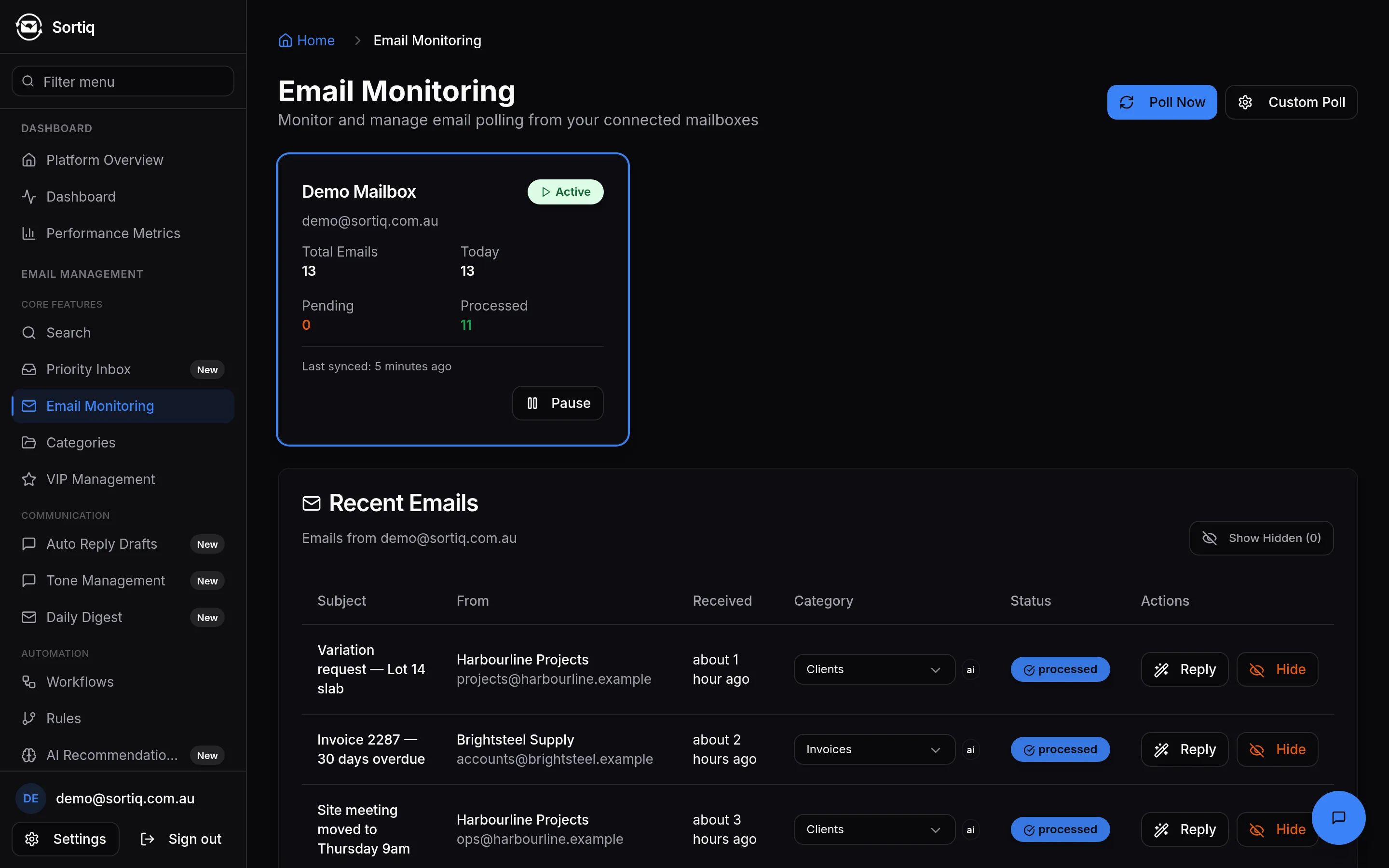
Sortiq reads every message as it lands, files it into the categories you defined, and screens it against live threat feeds. You open a queue, not a pile.
- Price
- $10 AUD/month, per person
- Billing
- 14 days free, then monthly
- Mail stored
- Sydney
- Features
- All 16, no tiers
02 The argument
Email is not a volume problem. It is an ordering problem.
Nobody needs fewer emails. They need the four that matter today separated from the two hundred that do not — and they need that to have happened before they look.
Rules already do some of this
They do, and they are good. If a handful of Outlook rules handle your mail, you do not need Sortiq. Rules match conditions you wrote in advance; they cannot read a message they were not anticipated for.
What changes here
Classification against your own categories, threat screening in the same pass, and a record of why each decision was made — so when it is wrong you can say so, and the correction sticks.
03 What it does
Three things, and the screens they happen on.
02
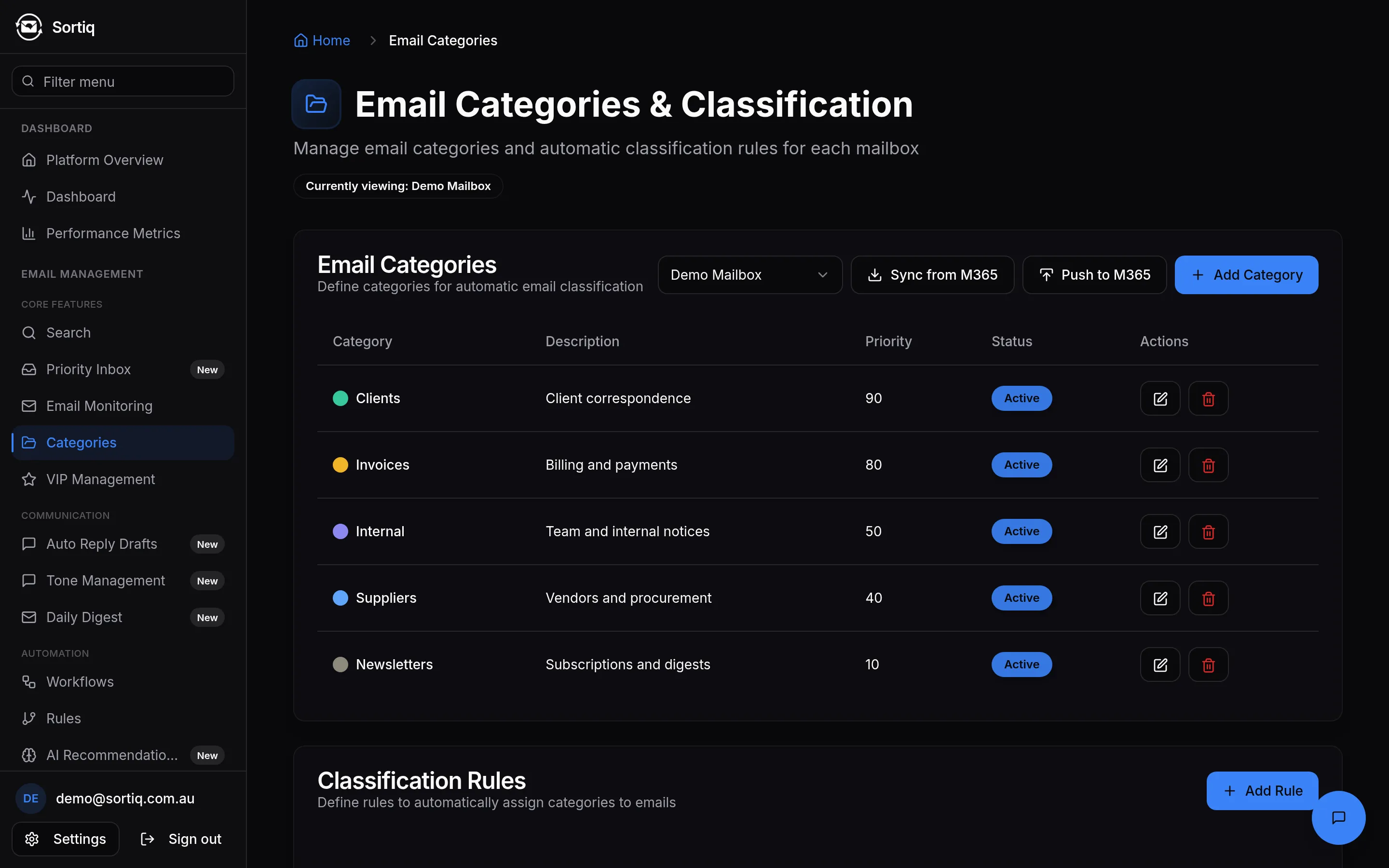
It files mail into your categories as it arrives
Not a fixed taxonomy of Promotions and Social. The categories are the ones you define, and every message is classified against them within a few minutes of arriving, then filed in Outlook where you already work.
03
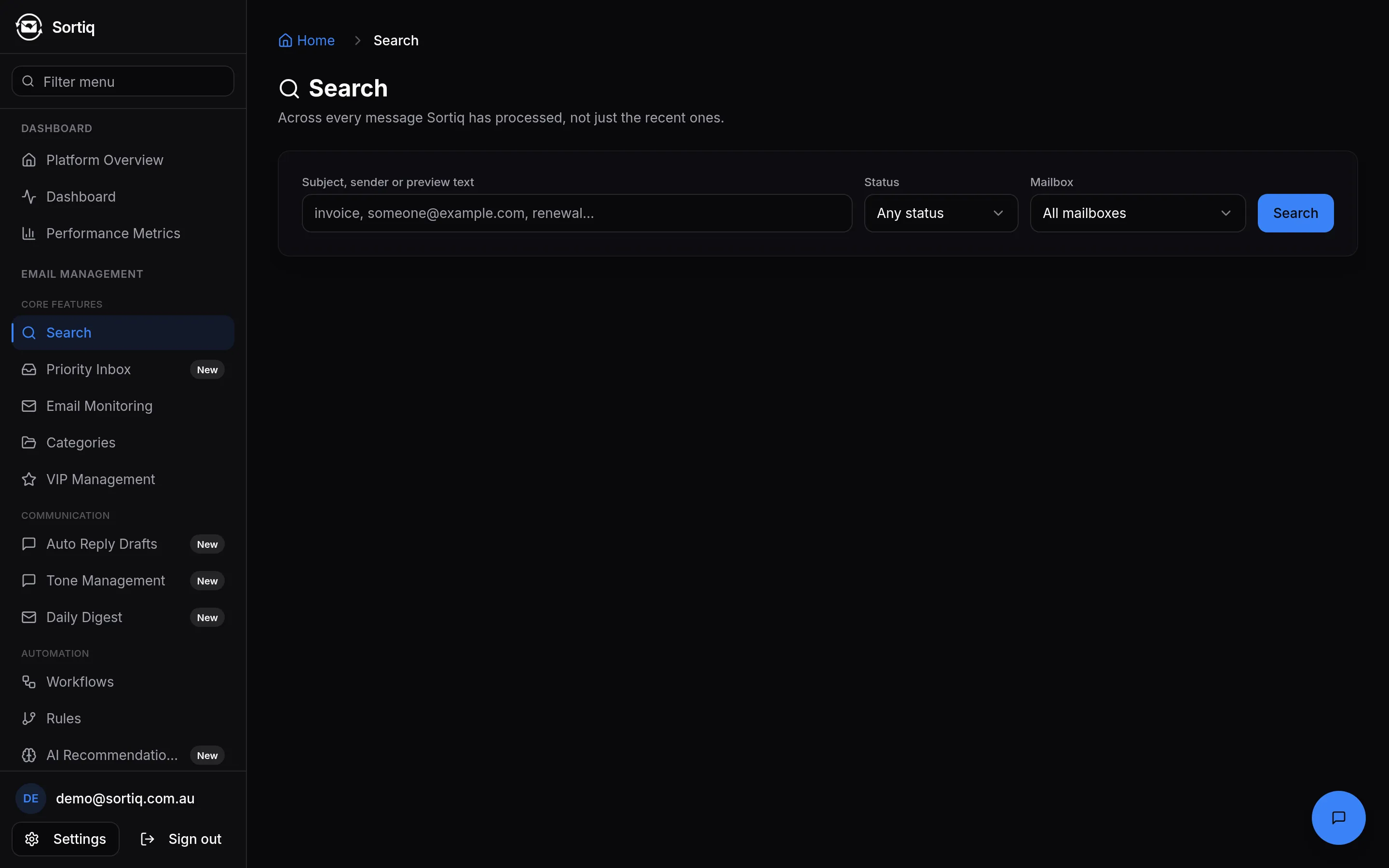
It keeps everything findable
Every message Sortiq has processed stays searchable by subject, sender or preview text, filtered by category, mailbox or status.
04
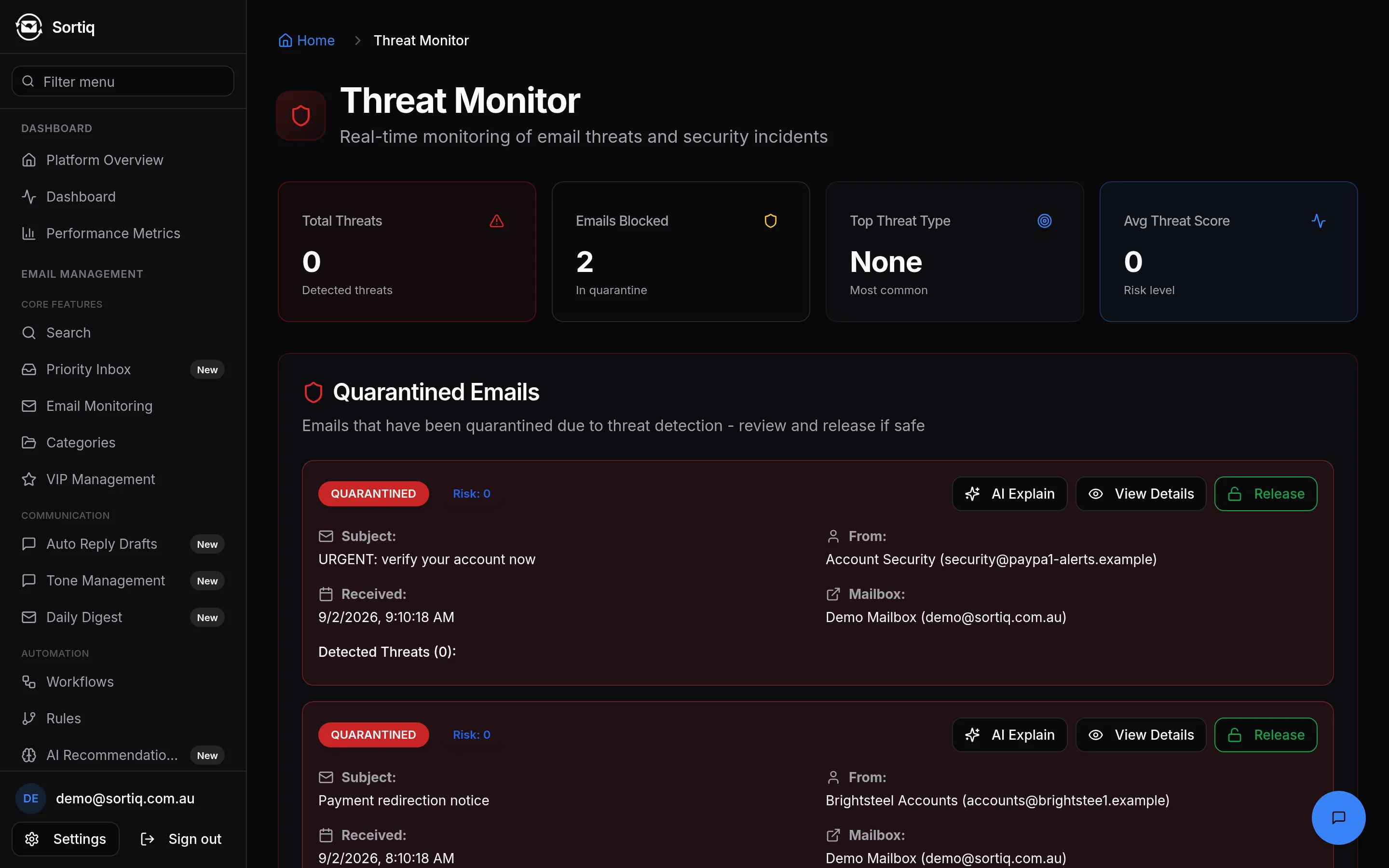
Anything it holds back, you can see and release
Screened mail is listed with the reason it was held. Releasing moves the message back to your inbox in Microsoft 365 — not just a status change in our database while it sits in Junk.
04 Limits
Where it stops.
The things a demo would not tell you, said here instead.
- Microsoft mailboxes only
- Sortiq connects through Microsoft Graph, which covers Microsoft 365 and personal Microsoft accounts — outlook.com and hotmail.com included. Gmail and plain IMAP do not connect. Google support is intended and not built; nothing on this page depends on it arriving.
- Your mail is held for 90 days, in Sydney, and some of it is processed overseas
- Sortiq keeps the text of a message for 90 days, so it can classify it, draft replies against it and re-check it as threat intelligence changes. That copy is held on infrastructure in Sydney. After 90 days the text is deleted and what remains is the subject, the sender, the date and what Sortiq decided — you can see that a message arrived and what happened to it, but not read it. Microsoft stays the system of record for your mail. Classification and reply drafting send message content to an AI provider overseas; the privacy policy names the provider and the country. If you would rather none of that happened, Sortiq is not currently able to accommodate it.
- Fourteen days free, then $10 a month
- You get the whole product for fourteen days without giving us a card. We tell you how many days are left every time you open it, and nothing is charged until you choose to subscribe. You can cancel from the billing portal at any time.
- Nothing is sent without you
- Drafted replies wait for your approval. Sortiq does not send email on your behalf.
01
02
03
04
05 Price
One price, for the organisation.
Per person in your organisation, with as many mailboxes as you like.
All 16 features are included. There are no usage tiers, no per-feature upgrades and no per-seat charge — a team of fifteen pays the same as a team of one. The first fourteen days are free and need no card; cancelling is done from the billing portal without a phone call.
Full pricing →06 Straight answers
Questions people actually ask.
- Isn’t this just Outlook rules?
- Outlook rules are good, and if a handful of them handle your mail you do not need this. They match on fixed conditions you write in advance — a sender, a word in a subject. Sortiq classifies on the content of the message against categories you define, screens the same message against threat intelligence feeds in the same pass, and records why it made each decision so you can correct it.
- How is $10 per person a month possible?
- You pay per person, not per mailbox — connect as many mailboxes as you like and they cost nothing extra. A shared info@ or accounts@ is not a second bill. There are no usage tiers and no per-feature upgrades: every organisation gets everything on this site.
- What happens when it gets something wrong?
- You change the category on the message and the correction is stored as yours, outranking both the model and any rule. Held messages can be released back to your inbox — properly, moved in Microsoft 365, not just marked as released in our database.
- Can I see what it has done?
- Every classification carries its method and confidence, and every message stays searchable. Threat decisions record the reason rather than hiding it.
Stop reading your inbox in the order it arrived.
$10 AUD/month per person, free for the first fourteen days. No card to start.